Skip to the case study
All work

Case study: Herts Navigation

The main navigation for herts.ac.uk, used by every visitor to the University of Hertfordshire website.

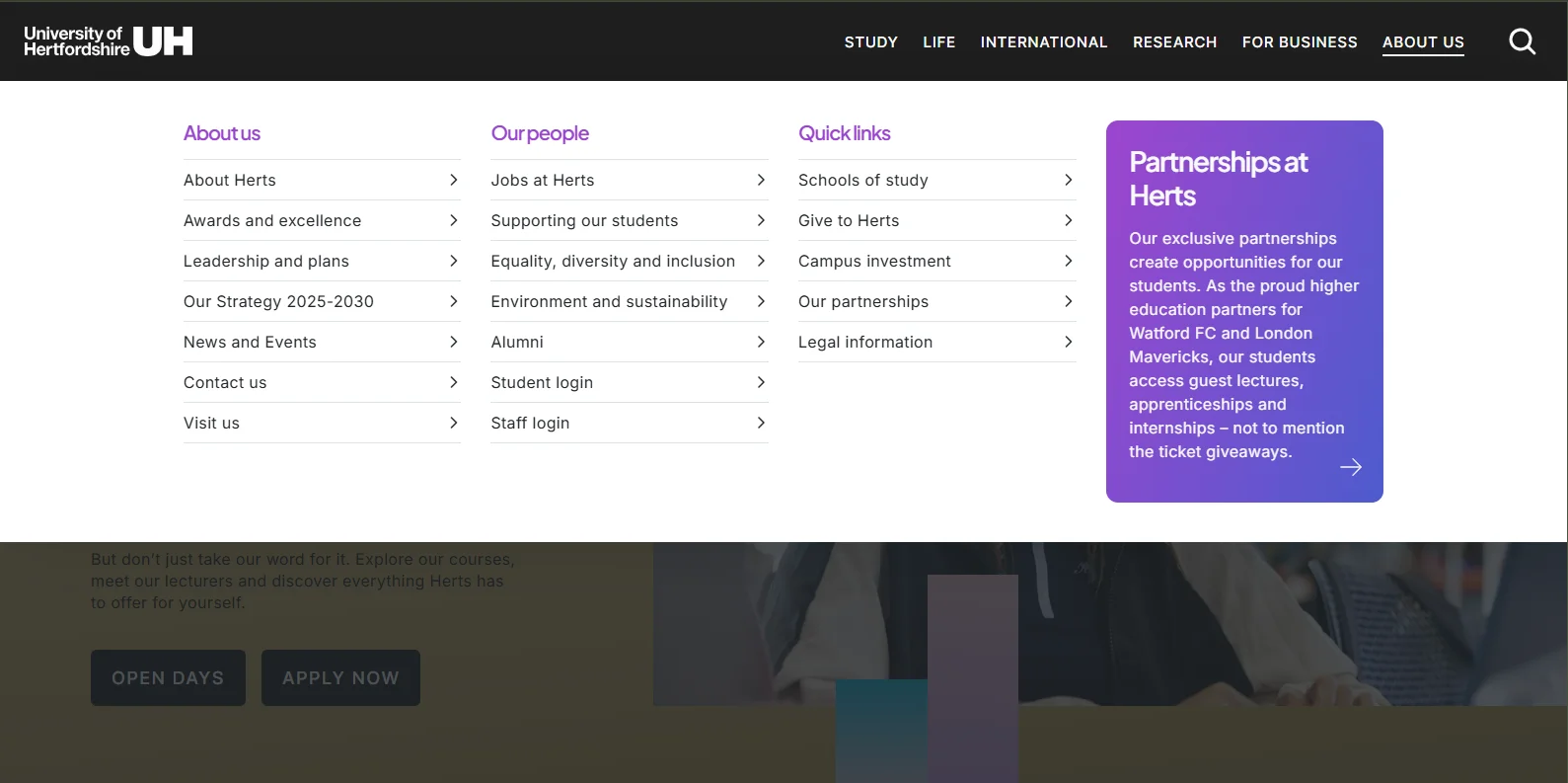
The new herts.ac.uk navigation on desktop with the About Us menu open: links grouped under About us, Our people and Quick links, each with a chevron, a Partnerships at Herts promo card on the right, and the page behind dimmed.
Desktop · the About Us menu open, page behind dimmed
My role

Front-end build and CMS integration: audited the existing sites, built the shared markup, styles, behaviour and accessibility, made it compatible with older templates, and set up CMS data sets so editors manage navigation content in one place — working with the university’s designers and stakeholders from brief to launch.

Stack
  • University CMS
  • HTML
  • Bootstrap
  • Sass
  • JavaScript
  • jQuery
  • Google Lighthouse
  • Google Analytics
Key decisions
  • One shared navigation for every university site, adjusted per template in CSS only
  • Navigation content managed in the CMS, in one place
Result

40% overall improvement in page load speed and performance, measured with Google Lighthouse

Links
Visit herts.ac.uk (opens in a new tab)Code not shown: it belongs to the university

The problem

The university’s main navigation no longer matched a modern university website, and it was slowing pages down.

It was also hard to use. People couldn’t easily get to what they wanted, and its labels didn’t make clear where links went. Every visitor relies on it — prospective students, current students and staff.

What I built

A full restructure, not a reskin. Six plain top-level sections — Study, Life, International, Research, For Business and About Us. Each opens a full-width menu of links grouped under clear headings, with a promo card, and the page behind dims so the menu stays the focus. On mobile, a full-screen menu drills into the same sections.

Underneath, one shared HTML and JavaScript navigation now serves every university site. Before building it, I audited and tested the existing sites. Some still ran older templates, so I made the new navigation compatible with each of them through a per-template CSS adjustment only; the markup and behaviour are the same everywhere. I also set each older category site’s CMS header and layout to use the right navigation style.

None of the navigation’s content is hard-coded. Link titles, URLs, labels and social links come from CMS data sets, layouts and metadata.
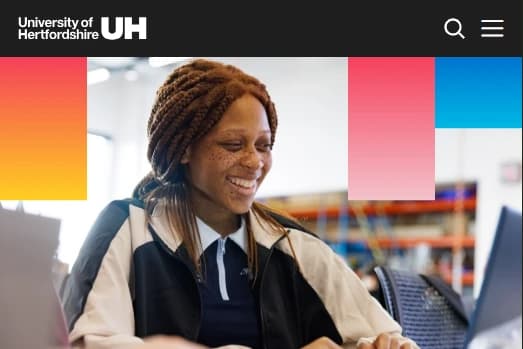
The herts.ac.uk header on mobile, closed: logo, search and a menu button.
Mobile · closed
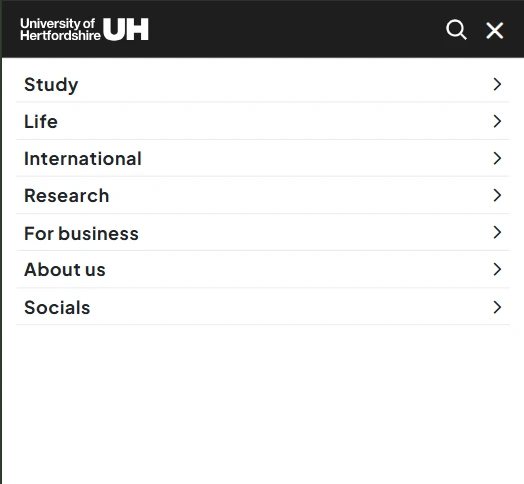
The herts.ac.uk mobile menu open: a full-screen list of Study, Life, International, Research, For business, About us and Socials, each with a chevron to drill in, and a close button.
Mobile · menu open

How it holds up

It works without a mouse

Every menu opens, moves and closes from the keyboard. Focus moves into a menu when it opens and returns to its trigger when it closes. Menus and toggles announce whether they’re expanded or collapsed, and the navigation was tested with screen readers.

One build, every template

Older templates get a per-template CSS adjustment only, so the navigation’s markup and behaviour stay identical across every university site. There is one version to maintain, not one per site.

Editors stay in control

Editors change navigation text and links in one place instead of updating many pages by hand, and they can switch on seasonal features such as an Open Days promo card without a developer.

The result

A 40% overall improvement in page load speed and performance, measured with Google Lighthouse alongside this restructure. Beyond the speed: fewer support requests about finding pages, and clearer analytics on how visitors move through the site.

Technical details

For engineers: three decisions behind the navigation, and what each one costs.

  1. One navigation, many templates

    DecisionBuild one HTML and JavaScript navigation for every university site, and handle older templates with a per-template CSS adjustment only, rather than separate markup.

    Trade-offA fix reaches every site at once, and so would a mistake. The existing sites were audited and tested before the build.

  2. Content in the CMS, not the code

    DecisionDrive link titles, URLs, labels and social links from CMS data sets, layouts and metadata.
    Trade-offThe navigation depends on its CMS data sets, layouts and metadata being set up and kept correct. In return, editors manage it in one place and switch on seasonal features without a developer.

  3. Menus that work without a mouse

    DecisionKeyboard control for every menu, focus that moves into an open menu and back to its trigger, and toggles that announce their expanded state.

    Trade-offMore behaviour to build and test than a simple hover menu, including testing with screen readers.